All projects
Workiz — Genius Answering
Designed Genius Answering, a complex AI assistant that operates as a 24/7 receptionist and dispatcher — managing calls and messages, responding instantly to customer inquiries and turning interactions into booked jobs directly within the user’s calendar.

Problem
Genius Answering is a virtual assistant that communicates with customers through calls and messages. The most important user interactions aren't happening inside the product UI — they are happening in conversations between customers and the assistant.
01
Designing the system behind the conversation
This changed the design challenge from simply creating screens for users to designing the assistant experience AND the control layer around it — helping businesses configure, understand, monitor and trust an AI that acts on their behalf.
02
The interaction happens outside the platform.
The control happens inside it
However, while customers interact with Genius through calls and messages, business owners still need to manage and monitor the assistant performance within the platform. The old Genius Answering interface wasn't effectively communicating the assistant's value, capabilities and statuses.


Goals
🎯
User goals
Get started with minimal friction and set up fast
View plan details, plan usage and available features at a glance
Easily understand and configure features based on their needs
📊
Business goals
Improve activation experience, reduce drop-offs and increase retention
Reduce support requests and encourage self-serve upgrades
Increase feature adoption
Discover & define
01
Understanding the assistant’s behavior
I started the research by auditing the existing experience and assistant behavior to understand where the product was working and where gaps existed:
↳ Listened to customer calls and analyzed the types of requests and scenarios clients bring to the assistant.
↳ Together with my teammates, we ran user interviews with business owners and admin managers to gather qualitative insights and expectations.
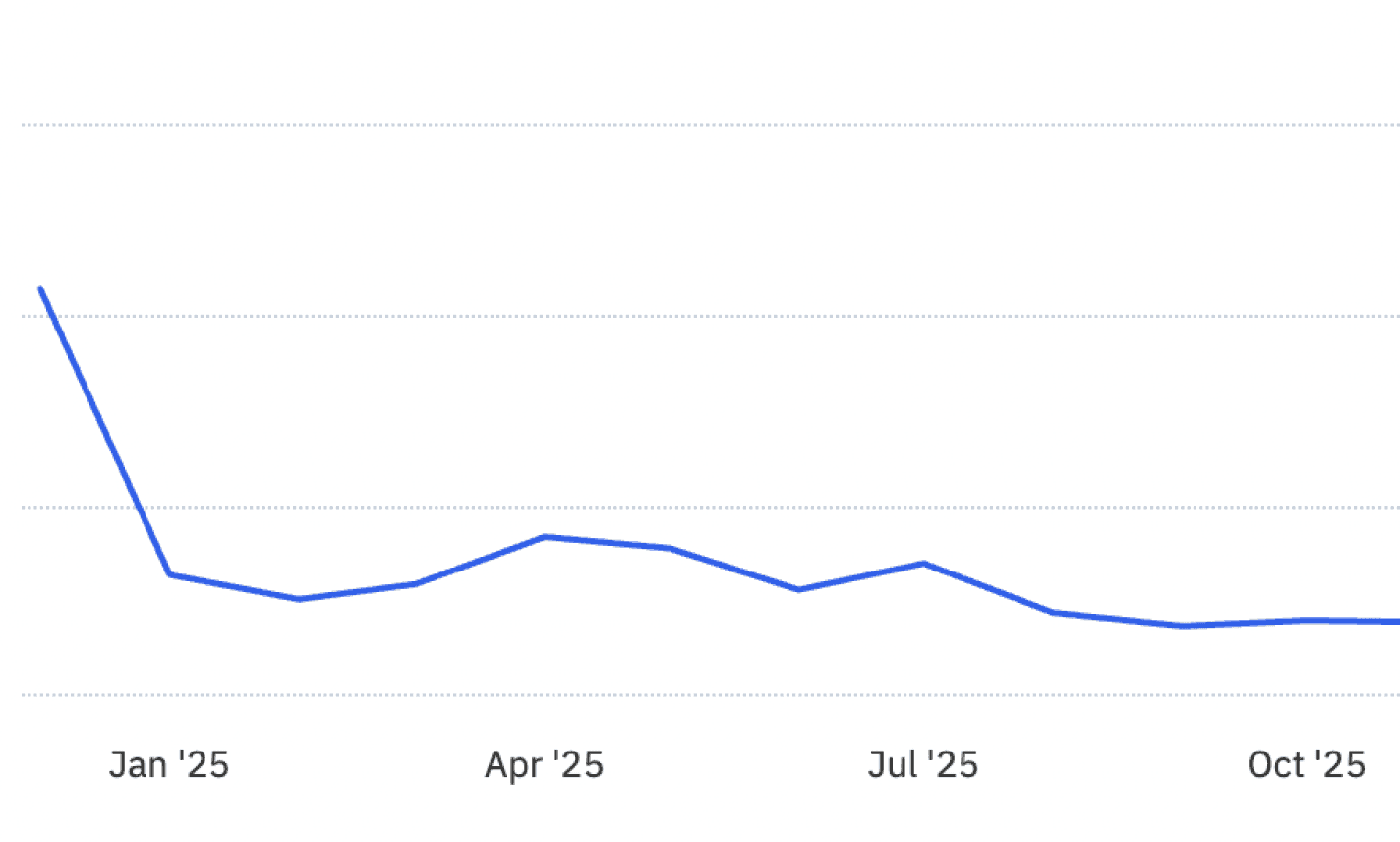
Free trial starts dropped by approximately 60%
02
Understanding the management experience
I then focused on how this assistant behavior translates into the platform experience businesses need to manage:
↳ Analyzed FullStory session recordings and Amplitude analytics to identify drop-offs, key flows gaps and engagement patterns.
↳ Mapped how the assistant’s capabilities and limitations should be represented in the platform to support common business management workflows.
💡
Key insights
01
Activation funnel gap
A significant decline in free trial starts indicated a breakdown in the activation funnel. Users were not motivated enough to start the trial.
02
Feature configuration
Increasing complexity and a growing number of capabilities led to setup abandonment and limited feature engagement.
03
Dashboard transparency
Users lacked a clear understanding of their current plan, feature statuses and overall state of their Genius Answering.
Research conclusion
The way the assistant’s capabilities and limitations are presented and managed within the platform directly shapes the success of client interactions. For business owners and admins, the management experience determines how easily they can configure the assistant, understand what it can and cannot do based on their plan and status, and track how it handles real-world requests — ultimately getting the value from the AI assistant.
Design & deliverables
Onboarding
01
I introduced a clear, concise value proposition upfront and designed a simple 4-step guided onboarding flow that focuses only on what’s essential to get start with Genius Answering. To reduce effort and friction, most inputs are prefilled using existing account data, so users are mainly confirming and moving forward — making setup feel faster, more intuitive and less manual.
A key addition was a dedicated Genius AI test modal, where users can interact with the agent in real time. This helps them experience the product before committing and builds trust early in the journey.
workiz.com
Dashboard
02
I standardised the layout so it feels familiar and easy to scan, with a clear header and consistent placement of core elements across the page.
Trial period
The trial label now clearly indicates the number of days remaining, with a contextual upgrade prompt. The messaging stays visible without interrupting access to core functionality.

Feature control overlay
The feature control overlay highlights the key capabilities of the feature. This overlay is essential, as activating both toggles — calls and
messages — directly increases usage and revenue.

System feedback
When action is required, system banners now provide CTAs to guide the user. Previously, the lack of transparent system feedback made it difficult for users to understand feature state or when an upgrade
was needed.

Configuration
03
The redesigned configuration experience makes the assistant’s capabilities easier for businesses to understand and manage. Capabilities are grouped into clear, logical sections, helping users quickly see what the assistant can do and configure it around their needs.
The experience also makes limitations more transparent. Upgrade entry points are placed in context, allowing businesses to see which capabilities are available on their current plan and preview what additional functionality could unlock.
workiz.com
Results & impact
Measured over 4 months post-launch across 1,400+ active accounts, the redesign drove meaningful improvements in discoverability, adoption and engagement.
+48%
Growth in core engagement
Total increase in monthly conversations
37.9%
Trial conversion rate
Across 4 months of post release
2x
Adoption of Genius messages
Genius messages enabled usage doubled
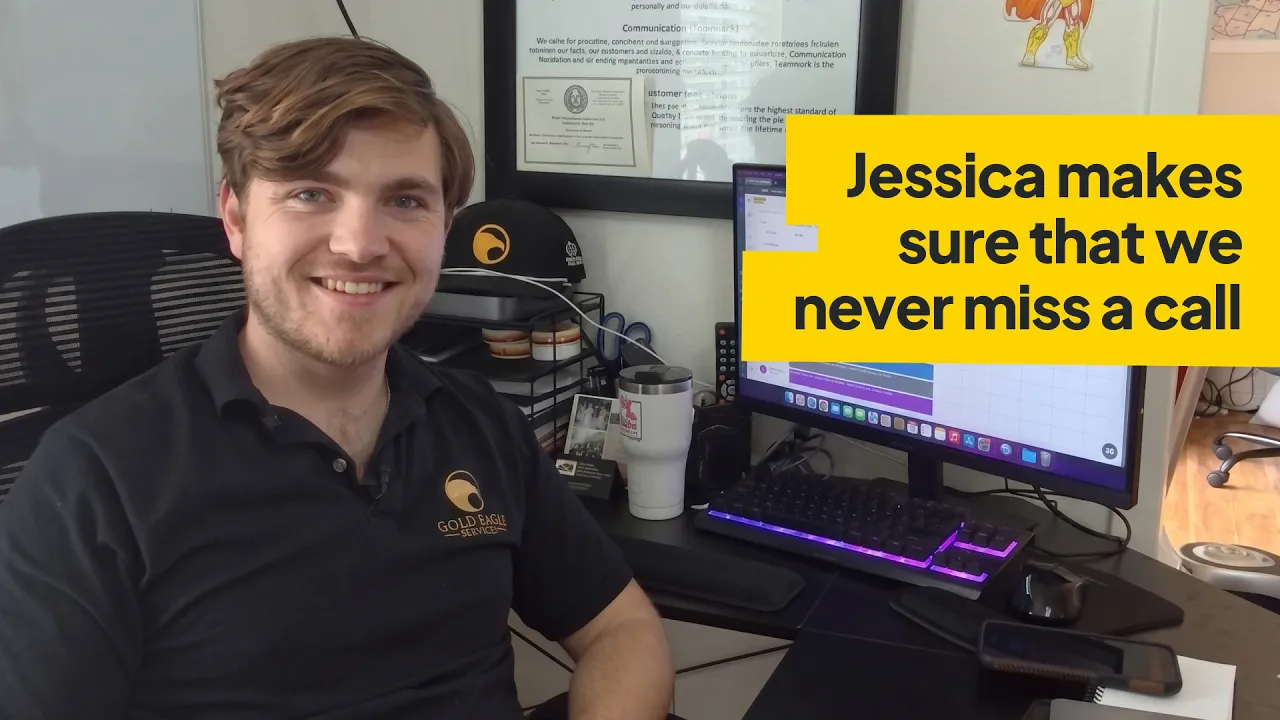
Watch a customer explain how the Genius Answering improved their workflow :))
See more

Creating a unified design language for a growing product
SaaS
Web App
In progress

Workiz Phone — UX Improvements
SaaS
Web App
Shipped
All projects
Workiz — Genius Answering
Designed Genius Answering, a complex AI assistant that operates as a 24/7 receptionist and dispatcher — managing calls and messages, responding instantly to customer inquiries and turning interactions into booked jobs directly within the user’s calendar.
Problem
Genius Answering is a virtual assistant that communicates with customers through calls and messages. The most important user interactions aren't happening inside the product UI — they are happening in conversations between customers and the assistant.
01
Designing the system behind the conversation
This changed the design challenge from simply creating screens for users to designing the assistant experience AND the control layer around it — helping businesses configure, understand, monitor and trust an AI that acts on their behalf.
02
The interaction happens outside the platform.
The control happens inside it
However, while customers interact with Genius through calls and messages, business owners still need to manage and monitor the assistant performance within the platform. The old Genius Answering interface wasn't effectively communicating the assistant's value, capabilities and statuses.
Goals
🎯
User goals
Get started with minimal friction and set up fast
View plan details, plan usage and available features at a glance
Easily understand and configure features based on their needs
📊
Business goals
Improve activation experience, reduce drop-offs and increase retention
Reduce support requests and encourage self-serve upgrades
Increase feature adoption
Discover & define
01
Understanding the assistant’s behavior
I started the research by auditing the existing experience and assistant behavior to understand where the product was working and where gaps existed:
↳ Listened to customer calls and analyzed the types of requests and scenarios clients bring to the assistant.
↳ Together with my teammates, we ran user interviews with business owners and admin managers to gather qualitative insights and expectations.
Free trial starts dropped by approximately 60%
02
Understanding the management experience
I then focused on how this assistant behavior translates into the platform experience businesses need to manage:
↳ Analyzed FullStory session recordings and Amplitude analytics to identify drop-offs, key flows gaps and engagement patterns.
↳ Mapped how the assistant’s capabilities and limitations should be represented in the platform to support common business management workflows.
💡
Key insights
01
Activation funnel gap
A significant decline in free trial starts indicated a breakdown in the activation funnel. Users were not motivated enough to start the trial.
02
Feature configuration
Increasing complexity and a growing number of capabilities led to setup abandonment and limited feature engagement.
03
Dashboard transparency
Users lacked a clear understanding of their current plan, feature statuses and overall state of their Genius Answering.
Research conclusion
The way the assistant’s capabilities and limitations are presented and managed within the platform directly shapes the success of client interactions. For business owners and admins, the management experience determines how easily they can configure the assistant, understand what it can and cannot do based on their plan and status, and track how it handles real-world requests — ultimately getting the value from the AI assistant.
Design & deliverables
Onboarding
01
I introduced a clear, concise value proposition upfront and designed a simple 4-step guided onboarding flow that focuses only on what’s essential to get start with Genius Answering. To reduce effort and friction, most inputs are prefilled using existing account data, so users are mainly confirming and moving forward — making setup feel faster, more intuitive and less manual.
A key addition was a dedicated Genius AI test modal, where users can interact with the agent in real time. This helps them experience the product before committing and builds trust early in the journey.
workiz.com
Dashboard
02
I standardised the layout so it feels familiar and easy to scan, with a clear header and consistent placement of core elements across the page.
Trial period
The trial label now clearly indicates the number of days remaining, with a contextual upgrade prompt. The messaging stays visible without interrupting access to core functionality.
Feature control overlay
The feature control overlay highlights the key capabilities of the feature. This overlay is essential, as activating both toggles — calls and
messages — directly increases usage and revenue.
System feedback
When action is required, system banners now provide CTAs to guide the user. Previously, the lack of transparent system feedback made it difficult for users to understand feature state or when an upgrade was needed.
Configuration
03
The redesigned configuration experience makes the assistant’s capabilities easier for businesses to understand and manage. Capabilities are grouped into clear, logical sections, helping users quickly see what the assistant can do and configure it around their needs.
The experience also makes limitations more transparent. Upgrade entry points are placed in context, allowing businesses to see which capabilities are available on their current plan and preview what additional functionality could unlock.
workiz.com
Results & impact
Measured over 4 months post-launch across 1,400+ active accounts, the redesign drove meaningful improvements in discoverability, adoption and engagement.
+48%
Growth in core engagement
Total increase in monthly conversations
37.9%
Trial conversion rate
Across 4 months of post release
2x
Adoption of Genius messages
Genius messages enabled usage doubled
Watch a customer explain how the Genius Answering improved their workflow :)
See more
Creating a unified design language for a growing product
SaaS
Web App
In progress
Workiz Phone — UX Improvements
SaaS
Web App
Shipped